
Built for Hop2IT
From Website Inquiry to a Clear Next Step
The inquiry system on this website is one example of Hop2IT’s work: a guided request connected to email, a customer record and a follow-up task.
- The work
- Website + Zoho Mail + Zoho CRM
- The purpose
- Keep the request and next action together
The Job
Make it easy to describe a problem, keep the full request and give the next action a place to live.
A useful inquiry needs more than a name and an email address. Hop2IT’s form helps visitors explain the work in plain words, then carries that context into the tools used to reply and follow up.
What Happens After Send
The Visitor Describes the Job
Guided questions help someone explain what they need, where things get stuck and what they use today. They can review and edit the summary before sending it.
The Inquiry Reaches the Inbox
The complete request goes to Hop2IT by email. The visitor’s reply address stays with it, so the conversation can continue normally.
The Visitor Gets a Copy
An automatic receipt includes the submitted inquiry. The visitor can reply to that email to add information.
The Details Stay in a Customer Record
Zoho CRM keeps the request as a separate note. A repeat inquiry adds another note without replacing the earlier request or the existing contact details.
The Next Step Gets a Task
An internal response task puts the inquiry on Hop2IT’s follow-up list. Hop2IT reviews the request and prepares the substantive reply.
Fictional test data
A Closer Look at the Handoff
These captures use a fictional inquiry in a local test setup. The email and CRM views show actual connector output in a simple test viewer. No customer records or private account screens are shown.
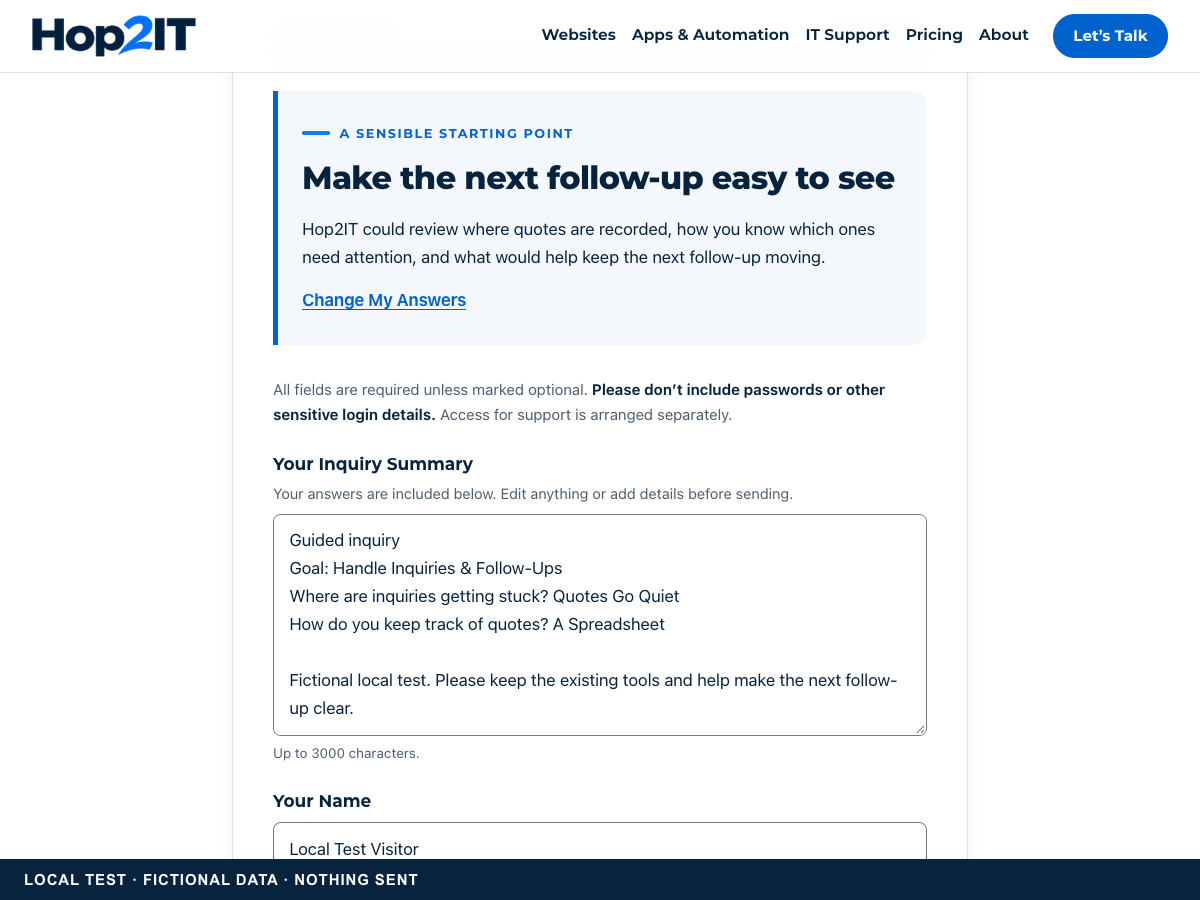
The Reviewed Inquiry Summary
A capture of the local guided form using fictional test details. The summary remains editable before submission.
View Full-Size Capture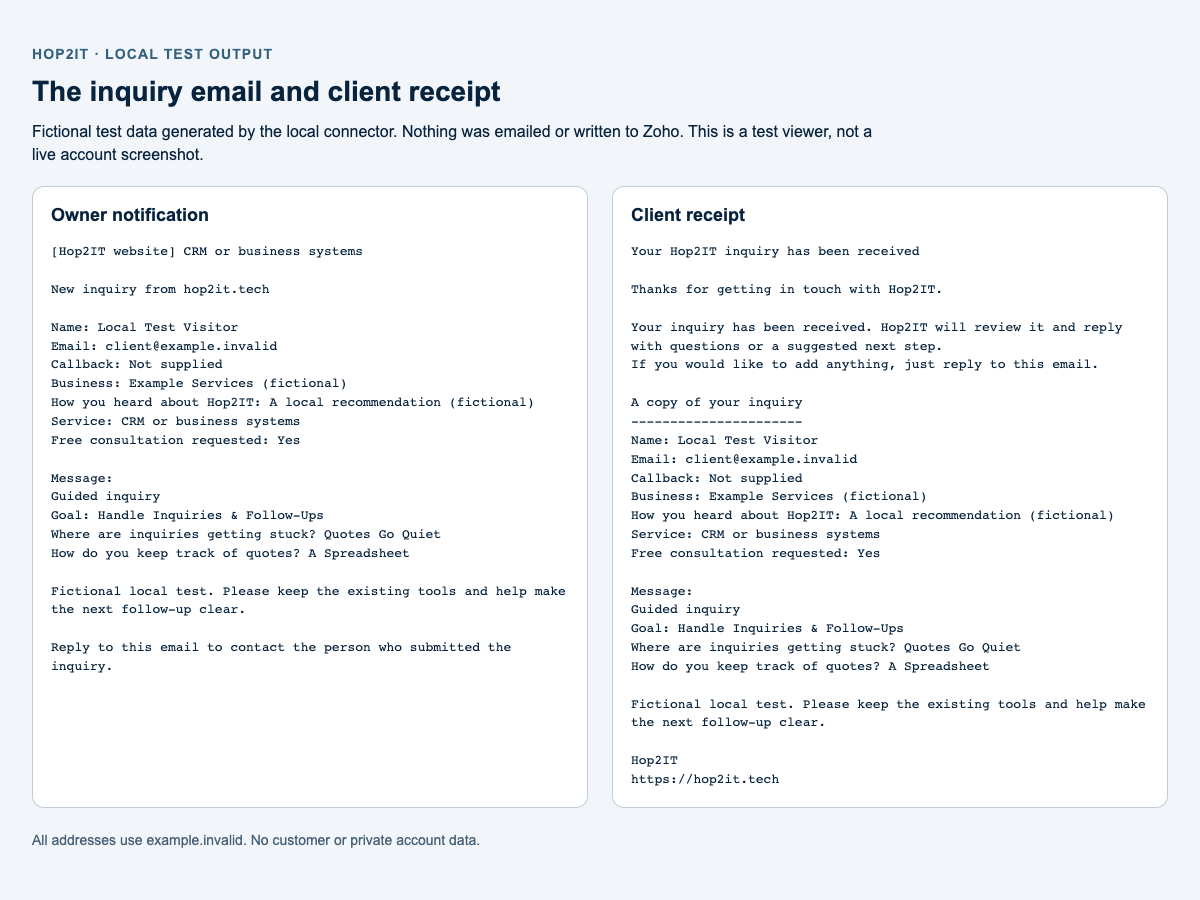
The Email and Client Receipt
Plain-text output generated locally by the connector’s notification and receipt functions, using fictional addresses.
View Full-Size Capture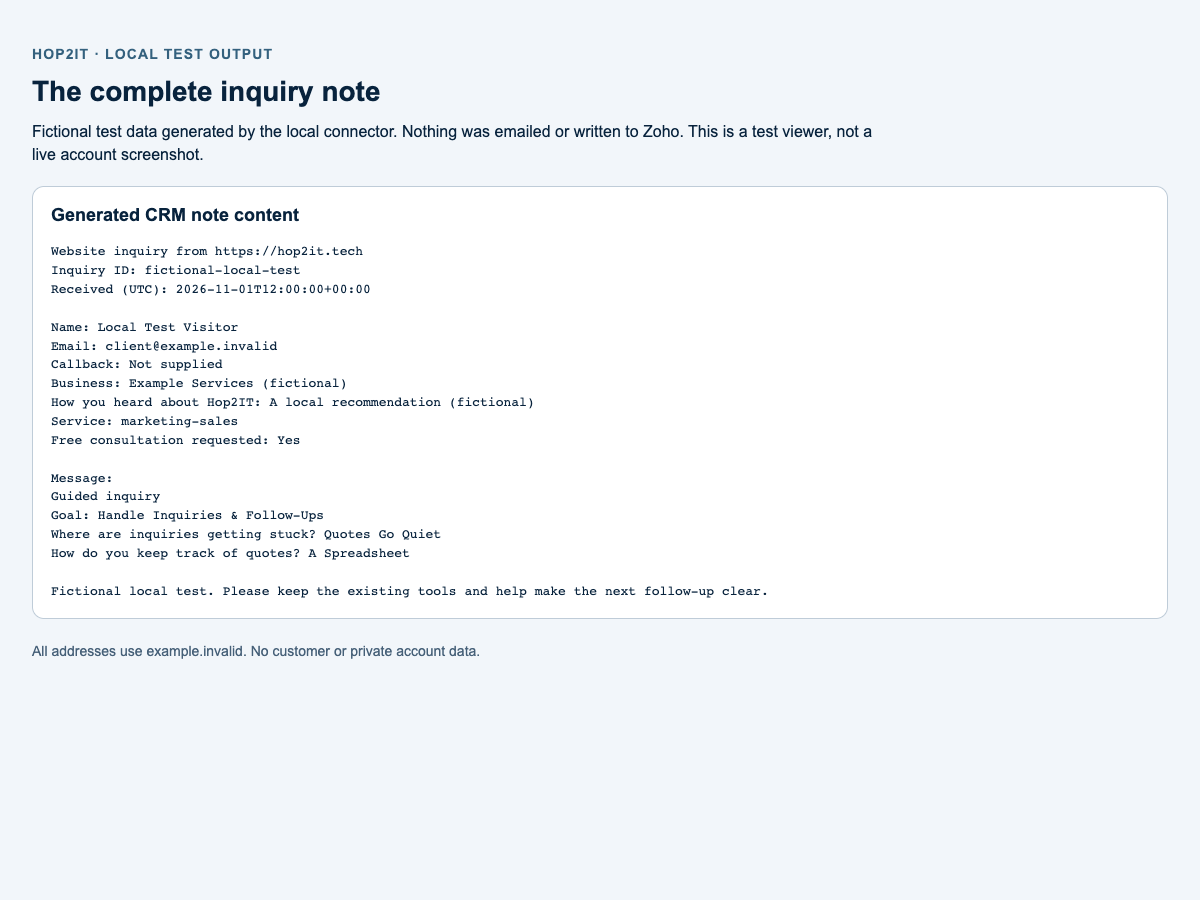
The Complete CRM Note
The note content generated by the local CRM connector. This is a test-output view, not a screenshot of a live Zoho account.
View Full-Size CaptureWhat the Checks Established
Production checks on 1 November 2026 compared a labelled test inquiry with the actual inbox messages and CRM note. They confirmed the full guided answers and final client edits were retained. Separate checks confirmed repeat-inquiry history and the internal response task.
The result is a working route from the website into Hop2IT’s inbox and CRM, with a receipt for the visitor and a recorded next action. Sales results and time savings have not been measured.
What Still Needs a Person
Hop2IT reviews the request, asks questions, agrees the scope and prepares a quote or suggested next step. The automatic receipt acknowledges the inquiry; it does not quote work, book an appointment or send an AI-written sales reply.
The right setup for another business depends on its existing tools, who handles inquiries and what needs to happen next.
Ready when you are
Give Your Inquiries a Clearer Path
Describe where inquiries arrive and what happens to them today. Hop2IT can help work out which connections would be useful.